A strong foundation link profile is essential for SEO success, but even seasoned marketers can accumulate mistakes that reduce link value or harm search rankings. Conducting a foundation link audit helps ensure your backlinks are authoritative, relevant, and contributing positively to your domain authority.
In this guide, we’ll walk you through how to audit your foundation link profile, identify common issues, and implement actionable fixes. Whether you are a website owner, SEO marketer, or beginner, mastering link audits is a crucial step toward building a sustainable, high-performing backlink strategy.
What Is a Foundation Link Profile?
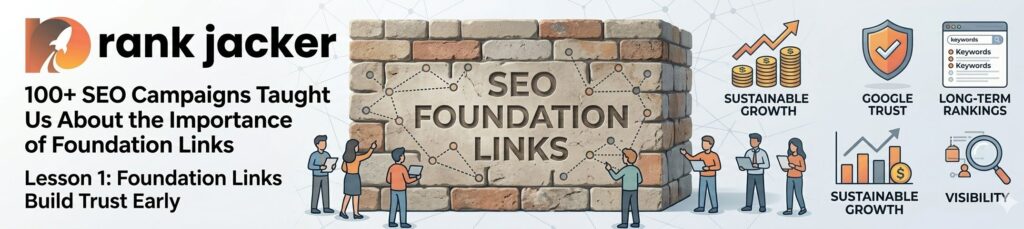
Your foundation link profile consists of high-quality, authoritative backlinks that form the backbone of your website’s SEO. These links are typically:
- Editorially earned or naturally acquired
- From reputable, niche-relevant sources
- Long-lasting and stable
- Key contributors to your domain authority
Foundation links differ from opportunistic or low-quality links, which may be temporary, spammy, or irrelevant. Auditing your link profile ensures that your foundation remains strong and effective.
Why Auditing Your Foundation Link Profile Matters
Auditing your foundation link profile is critical because:
- Identifies Low-Quality Links: Spammy, irrelevant, or broken links can hurt your SEO.
- Ensures Relevance: Links must align with your niche or industry to maximize authority.
- Maintains Anchor Text Balance: Overuse of exact-match anchors can trigger penalties.
- Prevents Penalties: Regular audits help detect unnatural links that may violate Google’s guidelines.
- Optimizes Link Equity Distribution: Ensures your foundation links are passing authority to the right pages.
Regular audits keep your SEO strategy healthy, resilient, and growth-oriented.
Step 1: Collect Your Backlink Data
Before you can audit, you need to gather all the links pointing to your website. Tools to use include:
- Ahrefs – Comprehensive backlink data and metrics.
- SEMrush – Tracks backlinks, referring domains, and link quality.
- Moz Link Explorer – Shows domain authority, link trust, and anchor text.
- Google Search Console – Provides a free overview of backlinks from Google’s perspective.
Export your backlink data into a spreadsheet for easier analysis. Include details like:
- Referring domain
- Target URL
- Anchor text
- Domain Authority / Trust Flow
- Link type (dofollow/nofollow)
Step 2: Identify Common Mistakes in Foundation Links
Once your data is collected, look for common mistakes that can weaken your foundation link profile.
1. Low-Quality or Spammy Links
Links from irrelevant or low-authority sites can reduce trust signals.
How to Fix:
- Disavow spammy links using Google Search Console.
- Focus on earning backlinks from authoritative, relevant sources.
2. Over-Optimized Anchor Text
Exact-match keywords repeated excessively can trigger penalties.
How to Fix:
- Diversify anchor text with branded, generic, partial-match, and long-tail variations.
- Maintain a natural distribution across your backlink profile.
3. Broken or Redirected Links
Links pointing to 404 pages or improper redirects lose link equity.
How to Fix:
- Use tools like Ahrefs or Screaming Frog to detect broken links.
- Contact the webmaster to fix the link or update your target URL.
4. Irrelevant Niche Links
Links from unrelated industries provide little SEO value.
How to Fix:
- Prioritize niche-relevant sources.
- Remove or disavow links that are completely off-topic.
5. Lack of Diversity
A profile with all links coming from one type of source (e.g., directories) looks unnatural.
How to Fix:
- Build a mix of editorial, guest post, directory, and local links.
- Aim for varied anchor text and link types.
Step 3: Analyze Link Metrics
Use metrics to determine the quality and impact of your links:
- Domain Authority (DA) / Domain Rating (DR): Higher scores generally indicate more valuable links.
- Trust Flow / Citation Flow: Indicates how trustworthy and influential a linking site is.
- Referring Domains: A diverse set of referring domains is more valuable than many links from a single domain.
- Link Relevance: Check if the linking site’s content aligns with your niche.
Sort and filter your spreadsheet to highlight low-quality links that need attention.
Step 4: Fix and Strengthen Your Foundation Link Profile
After identifying issues, take steps to repair and enhance your link profile:
1. Remove or Disavow Bad Links
Contact webmasters to remove harmful links. If removal is not possible, disavow them in Google Search Console.
2. Acquire High-Quality, Relevant Links
Focus on earning links from:
- Authoritative industry blogs
- Reputable directories
- Local business associations
- Educational or government websites
3. Optimize Anchor Text Distribution
Ensure your anchor text mix is natural, varied, and relevant, reducing risk of penalties while maximizing SEO value.
4. Repair Broken Links
Update URLs or redirect old pages properly to retain link equity.
5. Monitor Regularly
Set up a quarterly backlink audit schedule to maintain a healthy foundation link profile.
Step 5: Maintain a Healthy Foundation Link Profile

Long-term link profile health requires ongoing efforts:
- Track new backlinks and their quality
- Maintain a natural link acquisition rate
- Avoid link schemes or purchased links
- Keep anchor text diverse and relevant
- Continually produce high-quality content that attracts editorial links
A well-maintained foundation link profile supports sustainable SEO growth and higher domain authority over time.
Outgoing Remarks
Auditing your foundation link profile is essential for ensuring your backlinks are helping, not hurting, your SEO. By collecting backlink data, identifying common mistakes, and taking corrective actions, you can:
- Improve trustworthiness and authority
- Reduce the risk of Google penalties
- Optimize link equity distribution
- Strengthen long-term SEO performance
For website owners, marketers, and SEO beginners, regular audits combined with ongoing link-building efforts are the key to maintaining a strong, effective foundation link profile.
FAQs
Q1. What is a foundation link profile?
Ans. It is the collection of high-quality, authoritative backlinks that form the backbone of your website’s SEO.
Q2. Why should I audit my foundation link profile?
Ans. To identify and fix low-quality, broken, or irrelevant links that could harm your SEO and domain authority.
Q3. What tools can I use for auditing backlinks?
Ans. Popular tools include Ahrefs, SEMrush, Moz, Screaming Frog, and Google Search Console.
Q4. How often should I audit my foundation link profile?
Ans. Quarterly audits are recommended to maintain a healthy and effective backlink profile.
Q5. What are common mistakes in foundation link profiles?
Ans. Low-quality links, over-optimized anchor text, broken links, irrelevant niche links, and lack of link diversity.
Q6. How do I fix low-quality backlinks?
Ans. Contact webmasters for removal or disavow them in Google Search Console.
Q7. How do I find broken links in my profile?
Ans. Use tools like Ahrefs, SEMrush, or Screaming Frog to detect 404 errors or improper redirects.
Q8. How do foundation links improve SEO?
Ans. They enhance domain authority, signal trustworthiness, and pass link equity to strengthen your entire website.
Q9. Should I focus on quantity or quality of links?
Ans. Quality over quantity is crucial with high-authority, relevant links are far more effective than numerous low-quality backlinks.
Q10. Can a healthy foundation link profile protect against algorithm updates?
Ans. Yes. A well-maintained, authoritative link profile is more resilient to algorithm changes, supporting long-term SEO success.